Beta testers
Help us make your dream writing app.
You’re among the first to try Lost Writer, created by author Mel Torrefranca and developer Non Wannapa Lisa. Tell us what works, what doesn’t, the features you didn’t care for, and the ones you wish it had.
Please read our setup instructions for Mac and Windows first.
Perks
What you get for helping.
Lifetime license as a thank-you
Send us your feedback by the end of October 16, and we’ll upgrade your free trial to a lifetime license that includes all future updates.
Your feedback will shape the app before we launch it.
We’ll list your name in the app’s credits, if you want.
Mac users
How to open Lost Writer on a Mac
Lost Writer is signed by Lost Island Press, but Apple hasn’t reviewed this early version. Until it does, your Mac stops it the first time you open it. Here’s how to open it anyway. The process takes a minute, and you only do it once.
-
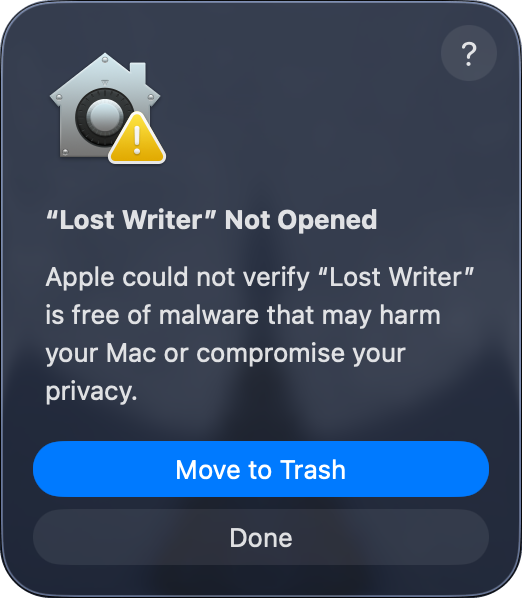
Open Lost Writer
Drag it into your Applications folder and open it. When your Mac says it can’t verify it, click Done.
-
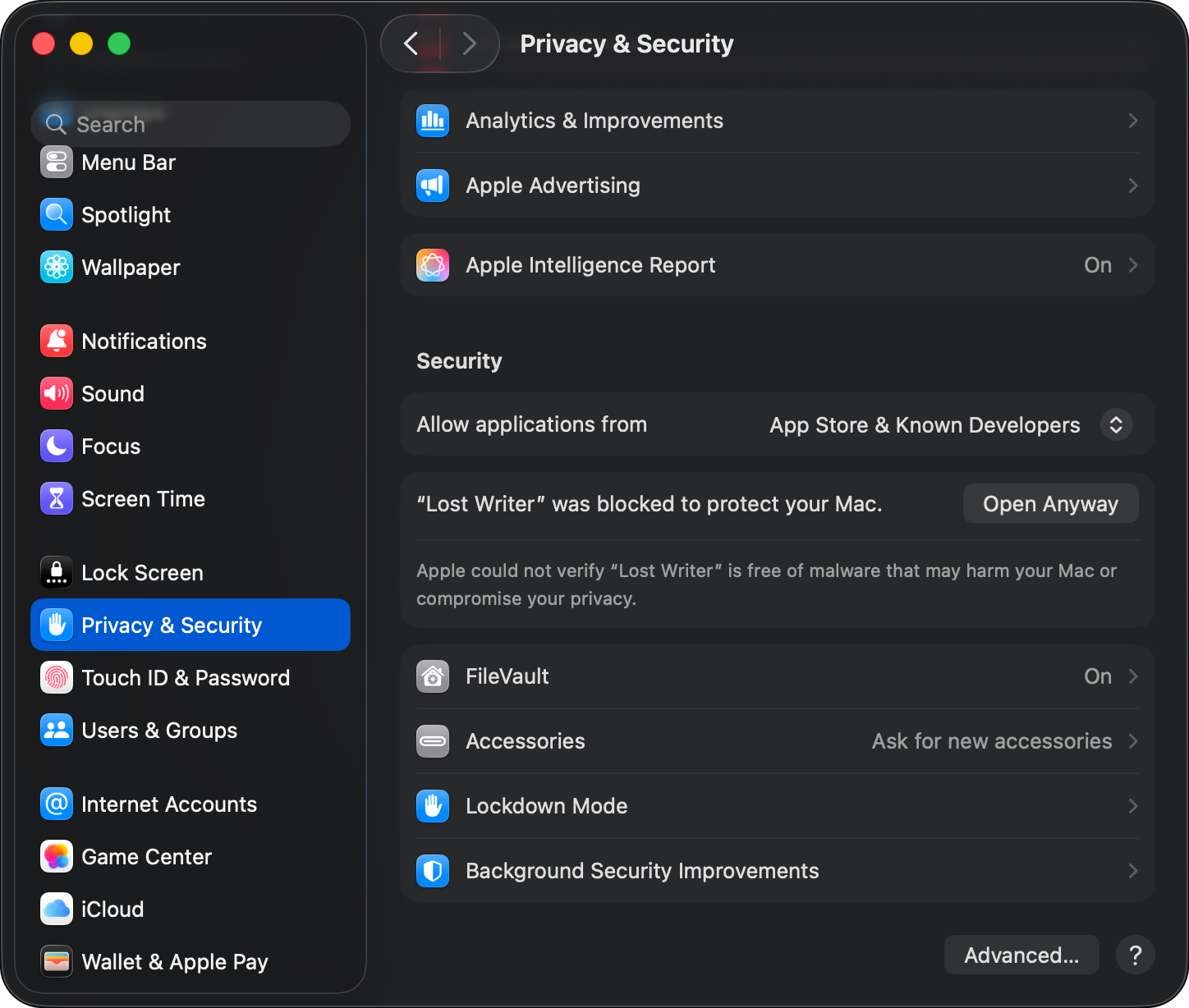
Go to Privacy & Security
Open System Settings, then Privacy & Security. Scroll down to Security and click Open Anyway.
-
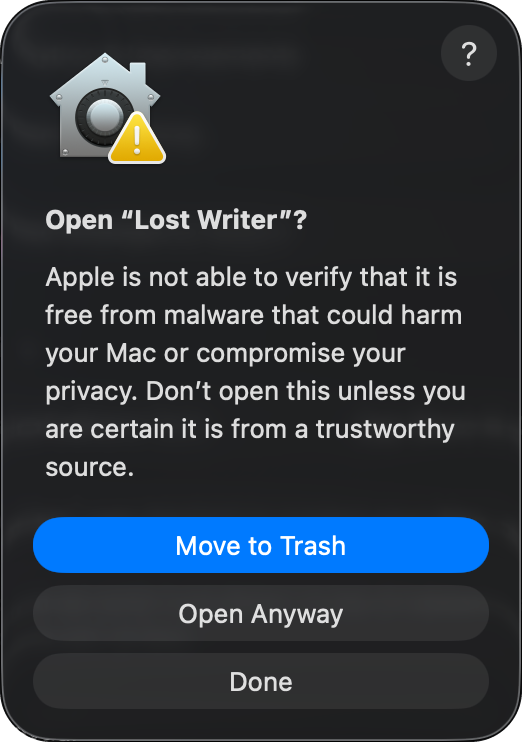
Click Open Anyway again
Click Open Anyway, then enter your password or use Touch ID.
Windows users
How to open Lost Writer on Windows
Lost Writer is fully verified, but since it’s still a new app, Windows may ask you to confirm your download. This is normal, and will go away as more people download it.
-
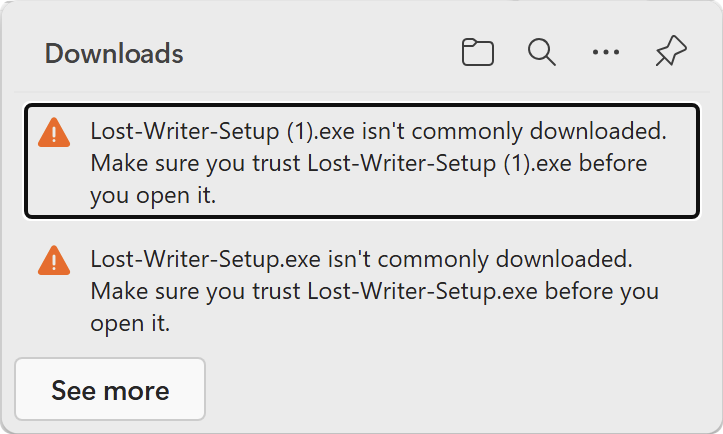
Keep the download
Your browser says the file isn’t commonly downloaded. Click the three dots (…) next to it, then Keep.
-
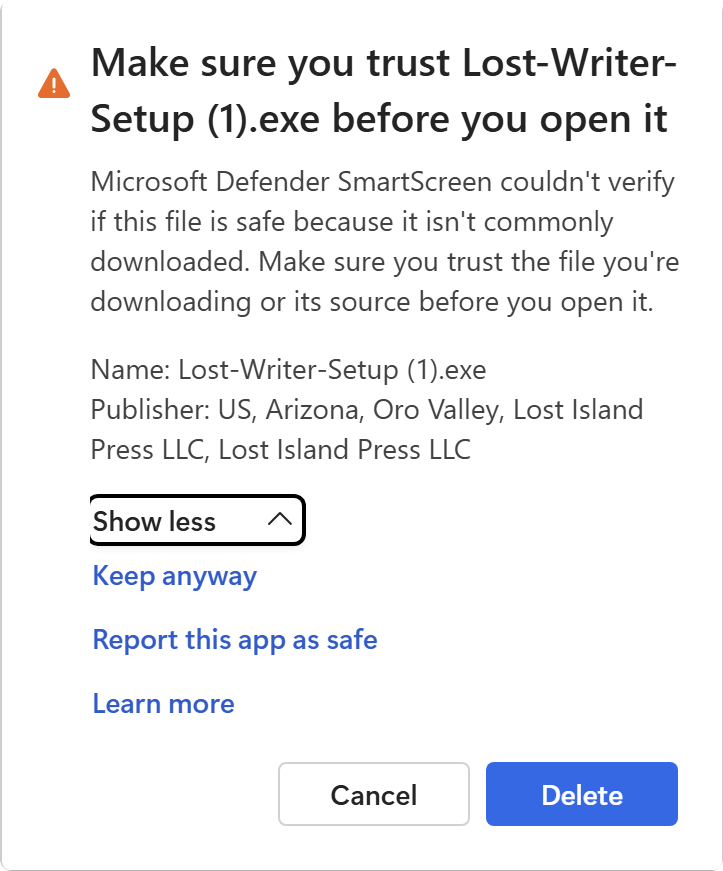
Click Keep anyway
Click Show more, then Keep anyway.
-
Install
Open the file and click Install. If Windows says it protected your PC, click More info, then Run anyway.
Your feedback
We can’t wait to hear your thoughts!
Please use Lost Writer for at least 30 minutes a day until the October 16 deadline. Then press the button below to fill out our beta survey.
Complete the survey by the end of October 16. We’ll email you a lifetime license key within a few days after.